
安知鱼主题实现友链状态前端显示

前言
早些时候就看到了Mo佬友链页的访问速度统计,非常眼馋。
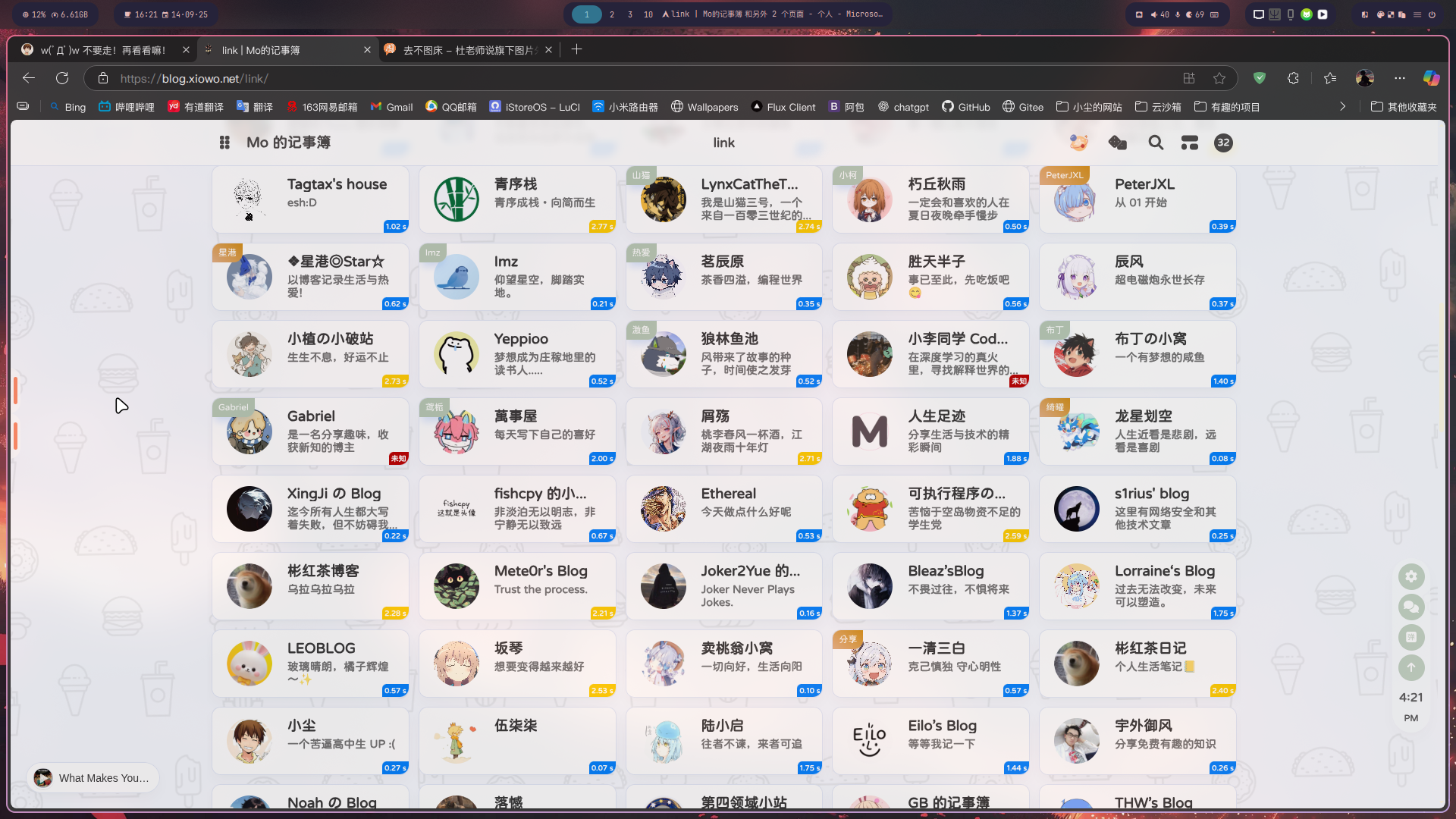
感觉很方便,了解了一下发现有点麻烦,随后放弃。(那自然是不可能的)
今天有空了把这事儿想起来了,翻了几个也用anzhiyu主题的博客,发现GB大佬用的也是相同方案,于是开始偷(借鉴)代码。
实装
配置后端
参考清羽大佬这篇文章:
{% link Github Action实现友链状态检测,LiuShen,https://blog.liushen.fun/posts/c2262998/ %}
友链页显示实现
创建 source/js/flink.js 文件
(function() { const STATUS_CACHE_KEY = "statusTagsData"; const STATUS_JSON_URL = "https://check-flink.mcxiaochen.top/result.json"; // 这里设为你自己的url
let latestData = [];
// 渲染状态标签 function addStatusTags(data) { if (!Array.isArray(data)) return;
document.querySelectorAll(".flink-list-item").forEach(item => { // 防止重复添加 if (item.querySelector(".status-tag")) return;
// 获取显示名字 const nameEl = item.querySelector(".flink-item-name, .cf-friends-name"); if (!nameEl) return; const nameText = nameEl.textContent.trim();
// 根据名字匹配 JSON 数据 const status = data.find(s => s.name === nameText); if (!status) return;
// 创建状态标签 const tag = document.createElement("div"); tag.classList.add("status-tag");
let text = "未知"; let colorClass = "status-tag-red";
if (status.latency >= 0) { text = status.latency.toFixed(2) + " s"; colorClass = status.latency <= 2 ? "status-tag-green" : status.latency <= 5 ? "status-tag-light-yellow" : status.latency <= 10 ? "status-tag-dark-yellow" : "status-tag-red"; }
tag.textContent = text; tag.classList.add(colorClass);
// 保证父容器相对定位 item.style.position = "relative"; item.appendChild(tag); }); }
// 获取 JSON 数据(带缓存) function fetchStatusData() { const cache = localStorage.getItem(STATUS_CACHE_KEY); if (cache) { try { const parsed = JSON.parse(cache); const cachedData = Array.isArray(parsed.data) ? parsed.data : (parsed.data?.link_status || []); if (Date.now() - new Date(parsed.timestamp).getTime() < 18e5) { // 30分钟有效 latestData = cachedData; addStatusTags(latestData); } } catch (e) { console.warn("❌ 解析缓存失败,忽略缓存", e); } }
fetch(`${STATUS_JSON_URL}?t=${Date.now()}`) .then(r => r.json()) .then(json => { latestData = Array.isArray(json) ? json : (json.link_status || []); addStatusTags(latestData); localStorage.setItem(STATUS_CACHE_KEY, JSON.stringify({ data: latestData, timestamp: new Date().toISOString() })); }) .catch(err => console.error("❌ 获取 result.json 出错:", err)); }
// 监听 DOM 变化,自动渲染新增卡片 function observeNewItems() { const observer = new MutationObserver(() => addStatusTags(latestData)); observer.observe(document.body, { childList: true, subtree: true }); }
// 初始化 document.addEventListener("DOMContentLoaded", () => { fetchStatusData(); observeNewItems(); });
document.addEventListener("pjax:complete", () => { fetchStatusData(); });})();创建 source/css/custom.css 文件
.status-tag { position: absolute; bottom: 0; right: 0; padding: 0 3px; border-radius: 6px 0 12px 0; font-size: 10px; color: #fff; font-weight: 700; transition: font-size .3s ease-out, opacity .3s ease-out;}
.flink-list-item:hover .status-tag { font-size: 0; opacity: 0;}
.status-tag-green { background-color: #599e0b; }.status-tag-light-yellow { background-color: #fed101; }.status-tag-dark-yellow { background-color: #f0b606; }.status-tag-red { background-color: #b90000; }接着去 _config.anzhiyu.yml 引用下文件
inject: head: - <link rel="stylesheet" href="/css/custom.css">
bottom: - <script src="/js/flink.js"></script>大功告成
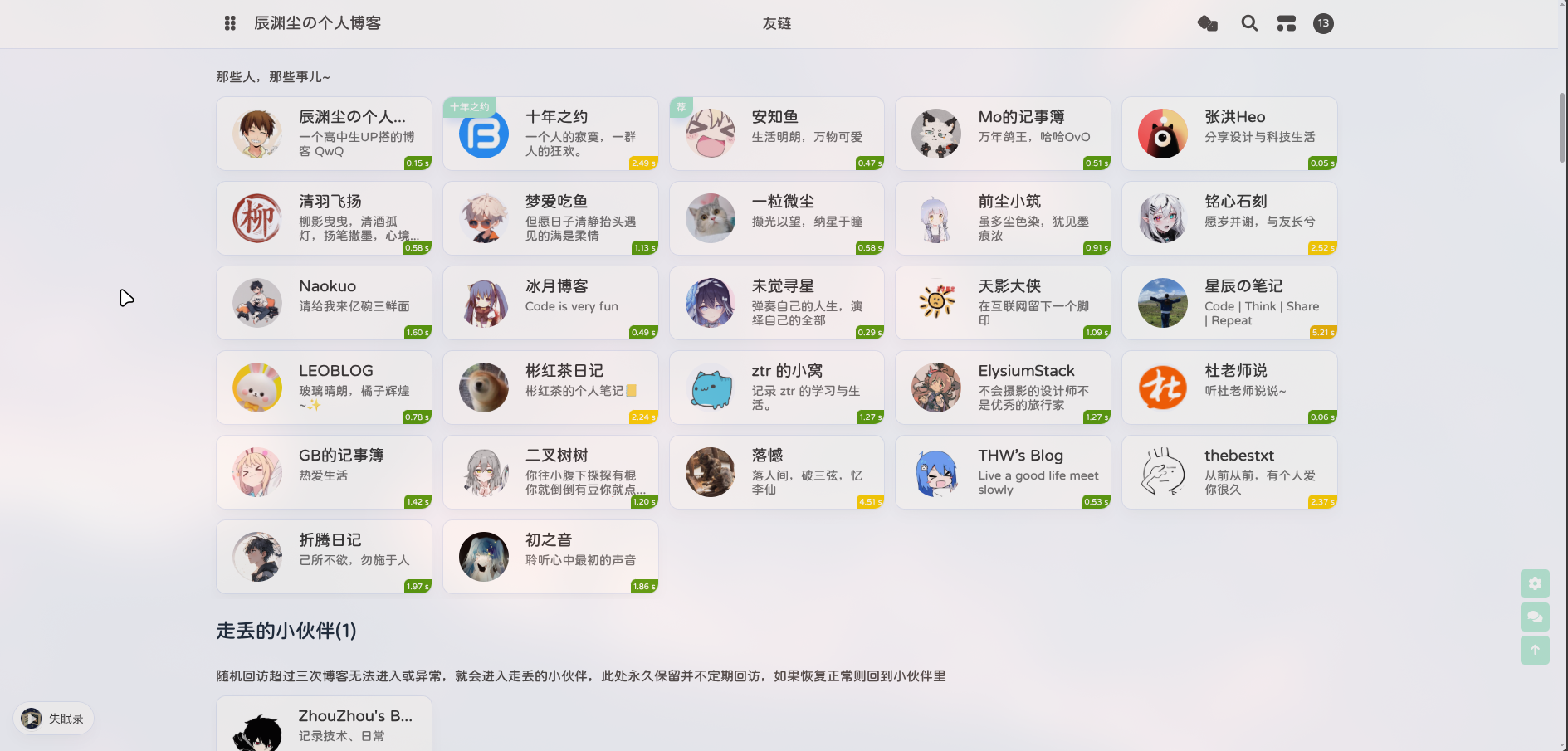
效果如图:
尾声
flink.js 我原本直接复制(借用)GB大佬的文件后发现只能看到第一条友链的延迟信息,就丢给GPT改成 name 值匹配了,要是你的友链存在同名不同url的情况,可能会boom,请知悉。
参考资料(排名不分先后)
安知鱼主题实现友链状态前端显示
https://blog.mcxiaochen.top/posts/p1c0fbc06/